Website redesign
Iberbibliotecas
Overview
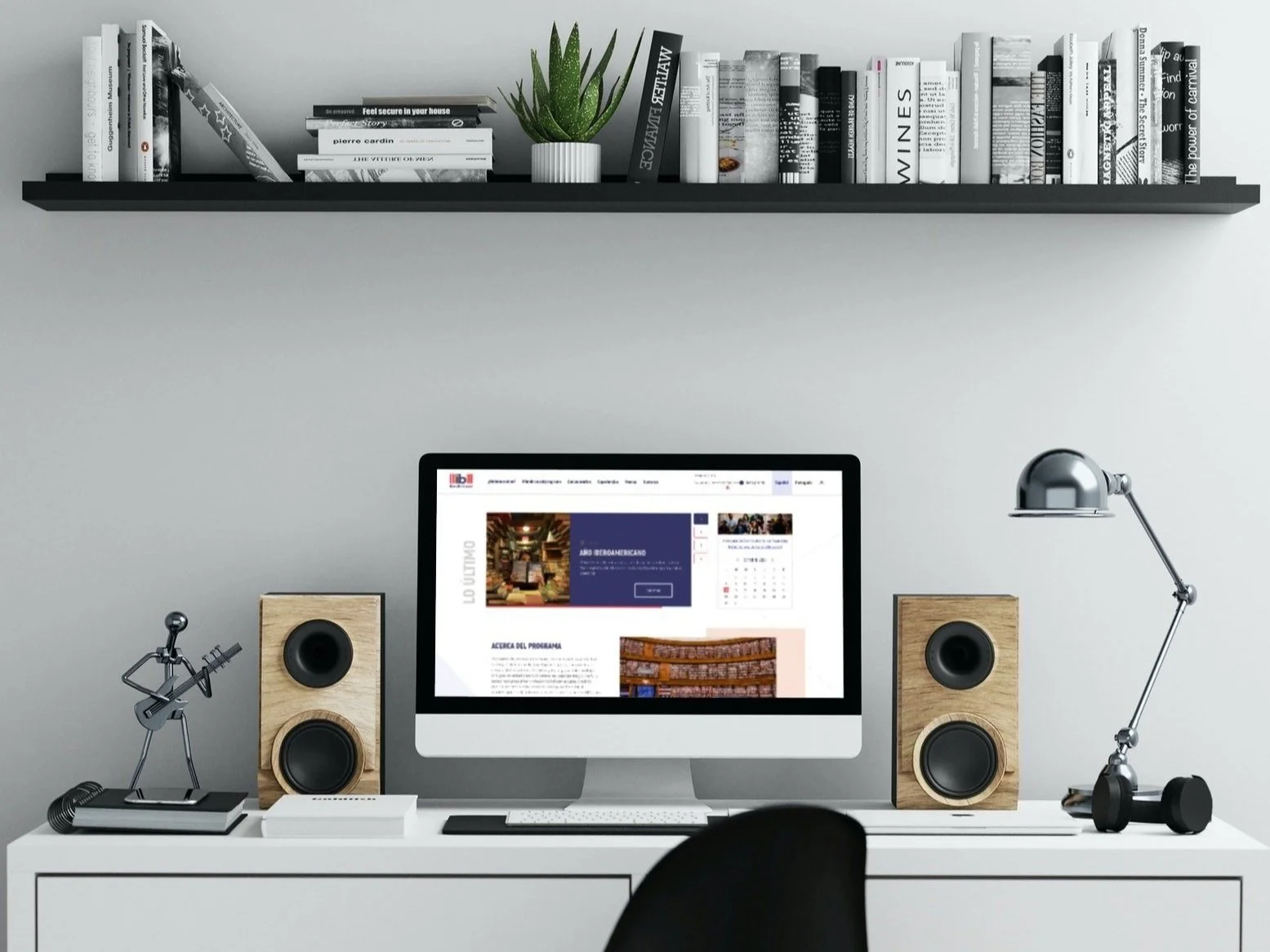
Redesign of the Iberbibliotecas portal. The project transformed a dense institutional platform into an inclusive and functional tool, optimizing scholarship application flows and project browsing through universal accessibility and senior-centered design.
The Challenge
The portal had critical barriers that excluded large segments of its audience: Intimidating Forms: Long, single-page application processes that led to user fatigue and high drop-off rates. Generational Digital Divide: Senior users (experienced librarians) felt alienated by rigid, 100% digital processes. Visual Accessibility Issues: Lack of tools for users with low vision, a common issue in the academic and library sector. Inflexible Documentation: The system lacked a fluid transition between physical and digital formats.
Process & Strategy
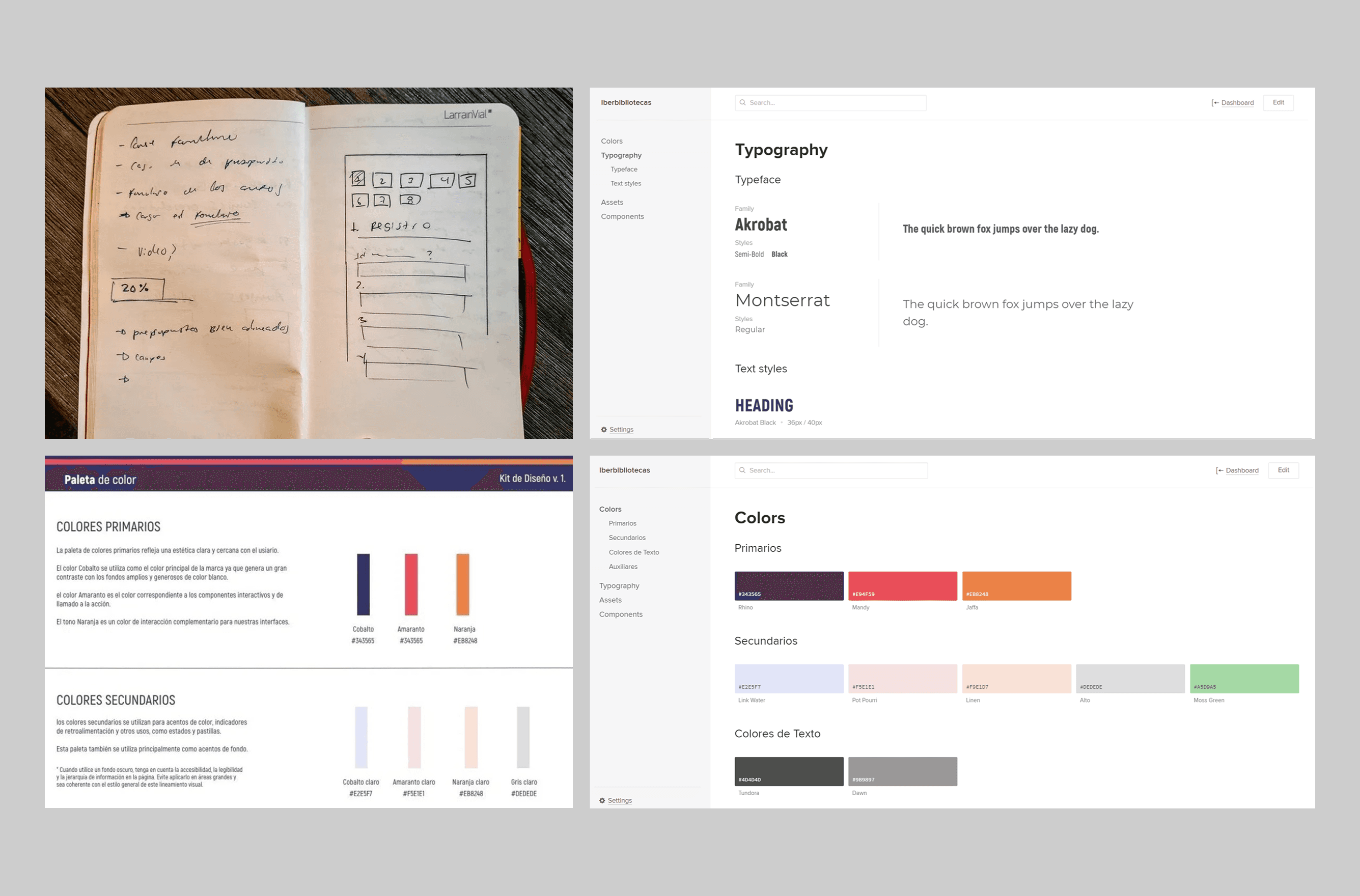
Form Conversion Audit: Identified friction points where users abandoned scholarship applications. Inclusive Design: Analyzed senior user needs, recognizing that technology must adapt to them, not the other way around. Progressive Flow Prototyping: Tested content splitting to reduce cognitive load.
Key Design Decisions
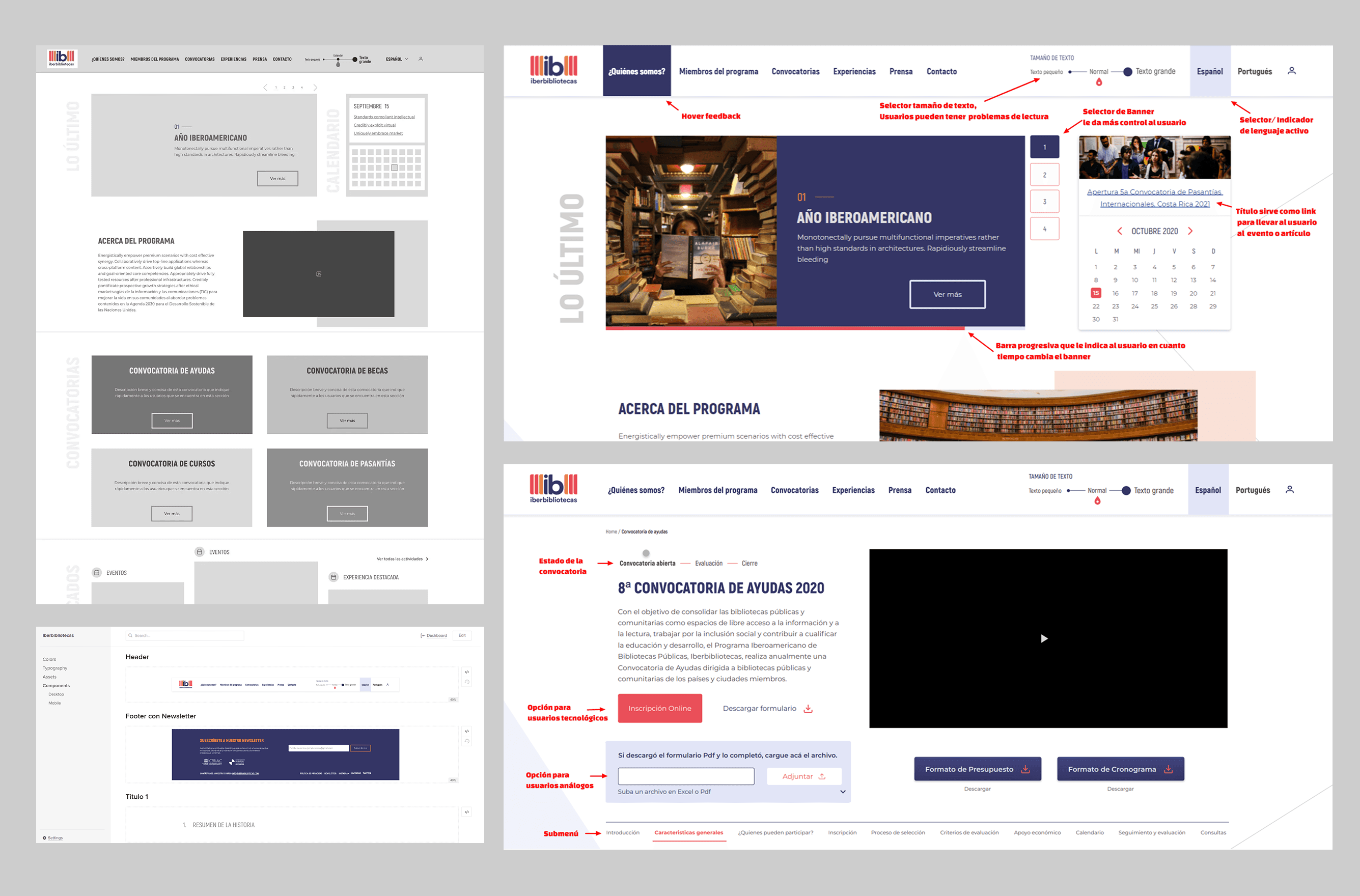
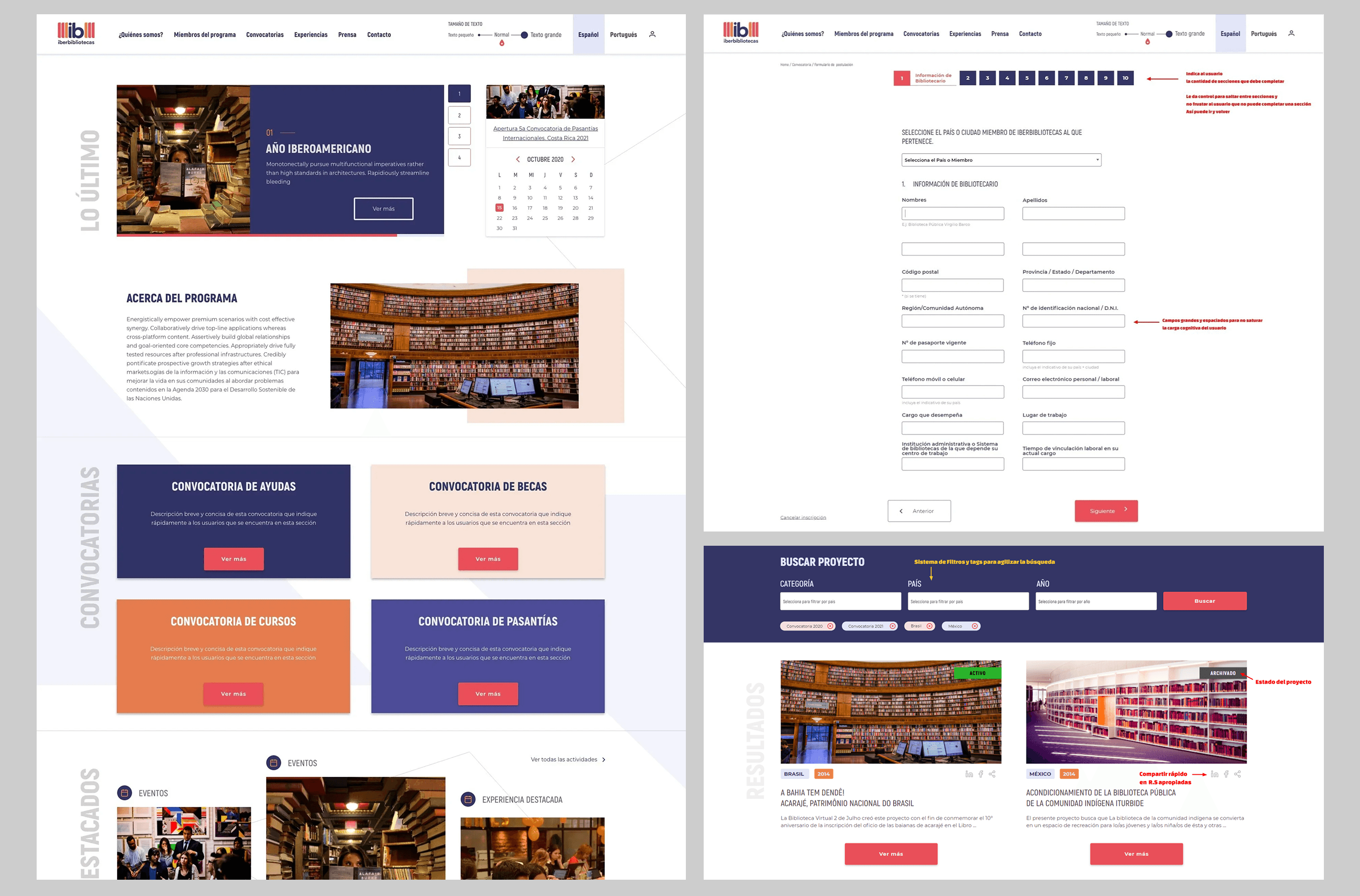
Design prioritized ease of use and active inclusion. Accessibility at the Forefront: Implemented an on-screen typography size selector, allowing users to adapt the reading experience to their visual needs without relying on browser settings. Multi-Step Forms (Wizards): Fragmented extensive applications into logical, digestible steps. This provided clearer navigation and a sense of constant progress. Hybrid Submission Model: Online-First: For digital natives. Physical Document Upload: Option to digitize and upload physical files within the online flow, specifically designed for users accustomed to analog processes. Reading Hierarchy: Leveraged white space and typographic weight to guide users through calls for proposals.
The Solution
An institutional portal with the soul of an accessible management tool: User-Friendly Application Module: A step-by-step flow that guides the user from intent to final delivery without stress. Interface Personalization: Natively integrated readability tools (font sizing). "Phygital" Experience: A bridge between legacy physical documents and modern digital efficiency.
Results & Impact
Increased Completion Rate: By splitting forms into steps, application drop-offs were drastically reduced. Senior User Inclusion: Positive feedback from older librarians who found the process less intimidating and more aligned with their traditional workflows. AA/AAA Compliance: Improved web accessibility levels, positioning the portal as a regional public sector benchmark.
Key Take Away
This project taught me that accessibility is not an "add-on," it is the core of the product. By designing the typography selector and the physical document upload option, we didn't just improve the UI; we protected the right of senior users to participate in the digital culture. Splitting the forms proved that, in UX, less information per screen means more efficiency for the user.